 Telegram
 WhatsApp
 Discord
 ask@voicehotkey.com
 下载 Windows




卸载 VoiceHotKey
如果你不想再使用 VoiceHotKey 应用程序,你可以直接将它从你的电脑上卸载。在 Windows 上,像卸载任何其他 Windows 程序一样卸载它;在 macOS 上,退出它并把它移到废纸篓;在 Linux 上,运行下面的脚本即可。
在 Windows 上卸载#
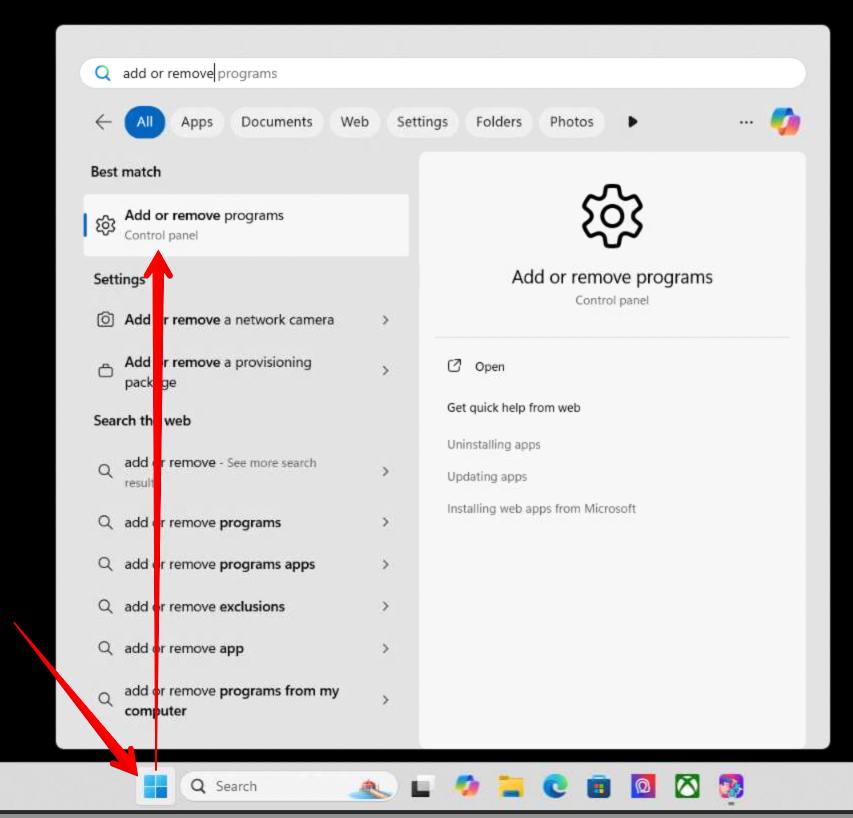
打开“添加或删除程序”菜单#
打开 Windows 菜单,并从控制面板中找到 添加或删除程序。
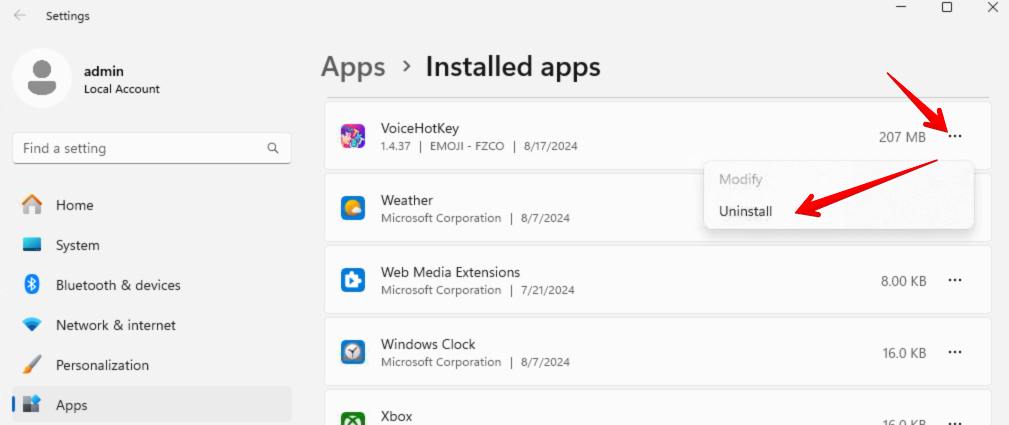
卸载 VoiceHotKey#
找到 VoiceHotKey 应用,点击 … 菜单并选择 卸载
在 macOS 上卸载#
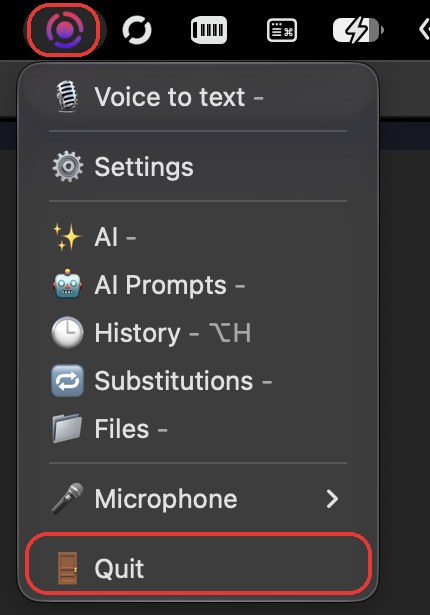
退出 VoiceHotKey#
点击菜单栏中的 VoiceHotKey 图标,然后点击 退出 (Quit)。
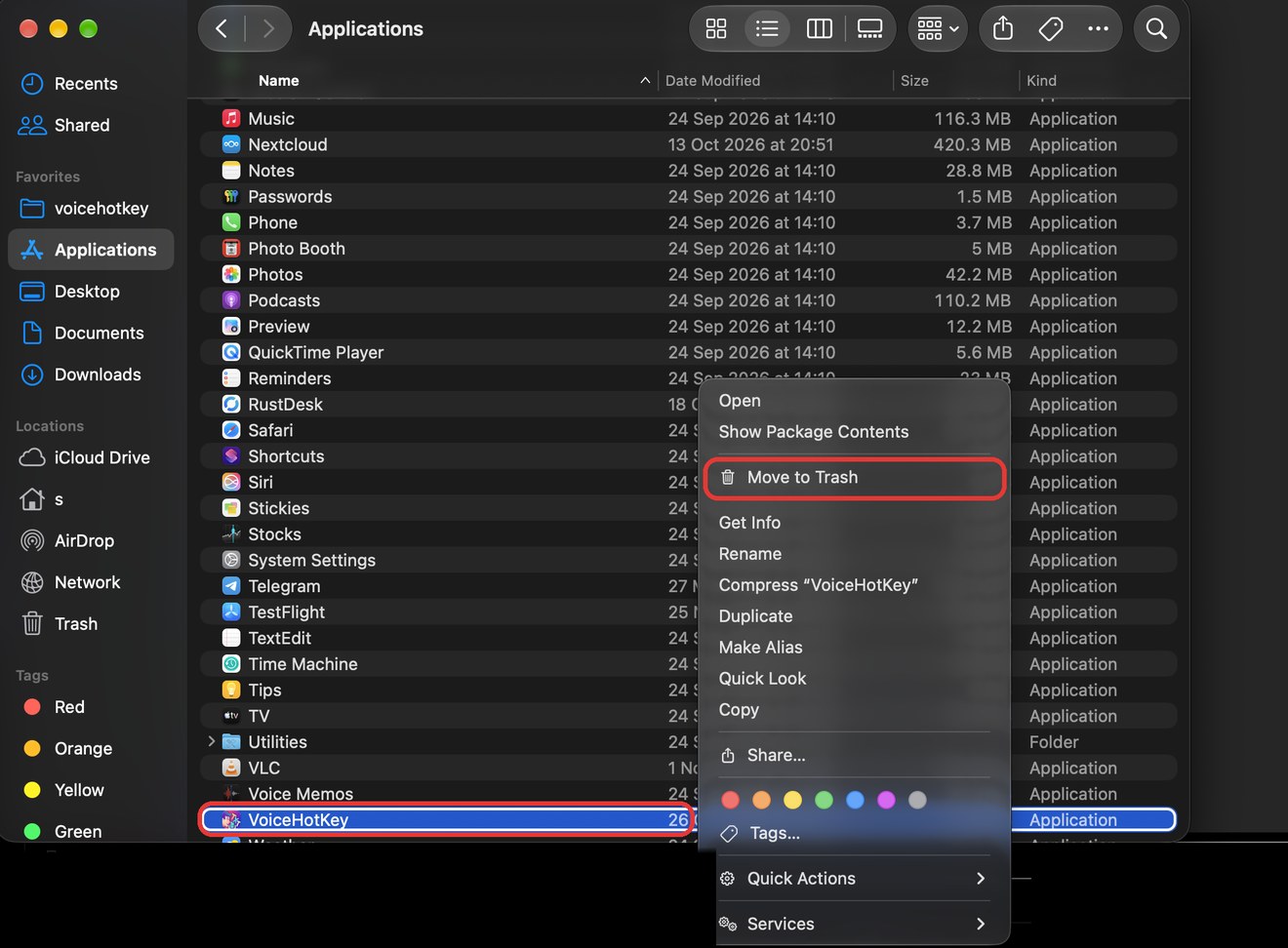
把 VoiceHotKey 移到废纸篓#
在 Finder 中打开 应用程序 (Applications) 文件夹,右键点击 VoiceHotKey,选择 移到废纸篓 (Move to Trash),然后清倒废纸篓。VoiceHotKey 正在运行时,macOS 不会把它移到废纸篓——所以要先退出它。应用删除后,VoiceHotKey 不会再随登录自动打开。
在 Linux 上卸载#
在终端中运行一条命令:
curl -fsSL https://app.voicehotkey.com/releases/ubuntu/uninstall.sh | bash
该脚本会停止 VoiceKey 并删除程序本身、菜单项、图标、自启动项、设置、听写历史和日志,同时清除安装程序添加的 input 组成员身份和 udev 规则(脚本提示时请注销并重新登录)。如果想在以后重新安装时保留设置,请加上 --keep-config:
curl -fsSL https://app.voicehotkey.com/releases/ubuntu/uninstall.sh | bash -s -- --keep-config
重新安装 VoiceKey:
curl -fsSL https://app.voicehotkey.com/releases/ubuntu/install.sh | bash